Dental Website Design: What Your Practice Website Needs to Win New Patients
When someone needs a new dentist, they search, compare a few practices, and pick one, often without ever calling the others. Your website is where that comparison happens. It has to answer three questions fast: Do you take my insurance? Can I trust you? How soon can I get in?
This guide covers what good dental website design looks like in 2026: the pages a practice needs, what to put on them, how to handle booking, reviews and privacy, and the mistakes that send patients to the practice down the road.
What patients look for before they book
New patients are cautious. Dental work is personal, it can be expensive, and many people are a little anxious about it. That’s why trust signals matter so much.
- Reviews. In a survey of 1,500 Americans by digital marketing agency IronMonk, 43.3% said they would choose the dentist with the best online reviews when comparing practices on Google, more than any other option. BrightLocal’s 2026 Local Consumer Review Survey found 97% of consumers read reviews for local businesses, and 74% care most about reviews from the last three months.
- Insurance. “Do you take my insurance?” is one of the first questions most new patients have. If the answer isn’t on your site, many will simply move on.
- Convenience. Location, hours (especially early, evening or Saturday), and how easy it is to book.
- Comfort. Photos of the real office and team, and reassurance for nervous patients.
- Services. Whether you offer what they need: cleanings, implants, Invisalign, emergency care, pediatric dentistry.
Good dental website design puts all five where patients can find them in seconds.
Pages every dental practice website needs
| Page | What it should do |
|---|---|
| Homepage | Say who you treat and where, show reviews and insurance at a glance, and offer one-tap booking and calling |
| New patients | Explain the first visit, what to bring, forms, insurance and payment options |
| Services (one page per main service) | Explain each treatment in plain language: who it’s for, what to expect, recovery, cost factors |
| Insurance and financing | List accepted plans, explain out-of-network options, financing and any membership plan |
| About / meet the team | Real photos and short bios of dentists, hygienists and front desk staff, with credentials |
| Reviews or testimonials | A selection of real patient reviews, with links to your Google profile |
| Emergency dentistry | Same-day availability, what counts as an emergency, a clear phone number |
| Contact and location | Address, map, parking, hours, phone, and booking |
| Patient forms | Links to secure online forms in your practice software |
| Privacy and accessibility | Privacy policy, notice of privacy practices and accessibility statement |
Service pages: where most dental sites fall short
Many dental sites list 20 services on one page with a sentence each. That helps neither patients nor Google. Give your main services (implants, Invisalign or clear aligners, crowns, veneers, whitening, emergency care, pediatric dentistry) their own pages, each answering:
- What is it, and who is it for?
- What happens at each appointment?
- How long does it take, and what’s recovery like?
- What affects the cost, and does insurance usually cover it?
- Before-and-after photos (with patient consent).
- A few short FAQs and a booking button.
These pages also capture high-intent searches such as “dental implants near me” or “emergency dentist [city],” which is where many new patients come from.
Design features that help a dental website book patients
Booking that’s one tap away
Put “Book an appointment” and a tap-to-call phone number at the top of every page, and keep them visible on mobile as you scroll. If your practice software supports online scheduling, link to it directly. If not, a short appointment request form works: name, phone, email, new or existing patient, reason for visit, preferred times.
Insurance, shown plainly
List the insurance plans you accept on a dedicated page and summarize them on the homepage (“We’re in network with Delta Dental, Cigna, MetLife and more”). Explain what happens if a patient is out of network. Mention financing and any in-house membership plan for uninsured patients.
Reviews where people decide
Show recent reviews near the booking buttons, not only on a separate page. Display your Google star rating and review count with a link to your profile. Keep reviews genuine: the FTC’s 2024 rule on reviews and testimonials prohibits fake reviews and misleading practices, such as suppressing negative reviews.
Real photos, not stock
Use professional photos of your actual office, treatment rooms, team and dentists. Stock photos of perfect smiles are everywhere and build no trust. A short welcome video from the lead dentist can help nervous patients feel at ease.
A calm, clean look
Patients associate clean design with a clean practice. Use plenty of white space, a simple color palette and easy-to-read text. Avoid clutter, auto-playing videos and pop-ups that cover the booking button.
Speed and mobile
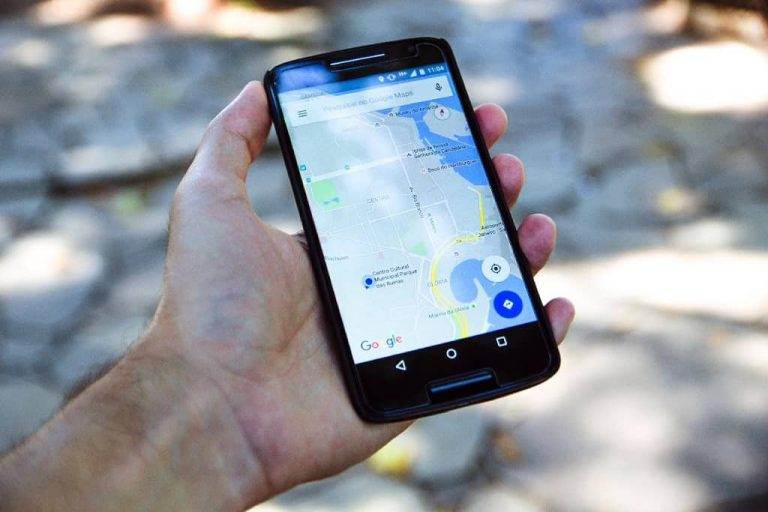
Most patients will find you on a phone. Pages should load quickly and be easy to use with one thumb. Google’s Core Web Vitals are a useful benchmark for loading speed, responsiveness and visual stability.
Privacy: HIPAA and your website
Dental practices that are HIPAA-covered entities need to be careful with how their website collects and shares patient information. This section is general information, not legal advice; check specifics with your compliance advisor.
- Forms that collect health information (medical history, symptoms, insurance details) should go through a secure, HIPAA-compliant system, typically your practice management software’s online forms, not a standard website contact form that emails details in plain text.
- Tracking tools such as analytics and advertising pixels have been a legal hot spot. In December 2022, the HHS Office for Civil Rights issued a bulletin on online tracking technologies. On June 20, 2024, a federal court in Texas (American Hospital Association v. Becerra) vacated the part of that guidance that said HIPAA applies when tracking tools connect a visitor’s IP address with a visit to a public, unauthenticated webpage. HHS later dropped its appeal. Tracking on patient portals and pages that collect health information still needs care, and state privacy laws may also apply.
- Keep your general contact form simple: name, phone, email and preferred time are enough; ask patients not to include health details.
- Post a privacy policy and your notice of privacy practices.
Accessibility
The Department of Justice’s 2022 web accessibility guidance says businesses open to the public, including medical and dental offices, must make their websites accessible to people with disabilities under the ADA. In practice that means readable text and color contrast, alt text on images, forms that work with a keyboard and screen reader, and captions on videos. This is general information, not legal advice; our website ADA compliance checklist walks through the common checks.
Local SEO for dentists
Most new patients search with a location in mind. To show up:
- Complete your Google Business Profile with accurate hours, services, photos and booking link, and keep asking happy patients for reviews.
- Use your city and neighborhoods naturally in page titles, headings and content.
- Create genuinely useful service pages rather than thin copies for every town.
- Add structured data. Schema.org has a specific
Dentisttype for local business markup, which helps search engines understand your practice, address and hours. - Keep your name, address and phone consistent across your website and directories.
Common dental website design mistakes
- No insurance information, or an outdated list.
- Booking buried on a contact page instead of every page.
- One page listing every service with no detail.
- Stock photos of models instead of your team and office.
- Health information collected through a basic contact form.
- Old reviews, or no reviews at all.
- Slow pages and tiny text on phones.
- No emergency information.
How much does a dental website cost?
Dental-specific marketing companies often charge monthly subscriptions that bundle a template site with marketing services, and their contracts can tie your website to their platform. A custom small practice website can be a one-time project instead, with optional ongoing maintenance. Whichever route you take, make sure you own your domain and can take your website with you. See our small business website design guide for what to look for in any website project.
Frequently asked questions
What should a dental website include?
A clear homepage, a new patient page, individual service pages, insurance and financing details, team bios with real photos, patient reviews, emergency information, contact and location details, links to secure patient forms, and easy online booking.
How do I get more new patients from my dental website?
Make booking and calling one tap away on every page, show insurance and reviews prominently, create detailed service pages, keep your Google Business Profile complete, and make sure the site is fast on phones.
Does a dental website need to be HIPAA compliant?
The parts that collect or transmit patient health information need to be handled securely, usually through your practice software’s HIPAA-compliant forms. A general website doesn’t need special hosting for public pages, but tracking tools and forms deserve care. Ask your compliance advisor about your specific setup.
Should my dental website have online booking?
Yes, if your practice software supports it. Many patients want to book outside office hours. If you can’t offer live scheduling, use a short appointment request form and reply quickly.
How often should a dental website be updated?
Review it at least every few months: insurance lists, team members, hours, reviews and offers change often. Software and security updates should happen continuously.
Want a dental website that books more patients?
We build practice websites that you fully own, with clear service pages, insurance information, booking buttons and reviews in the right places. Five-page sites start at $750, usually take about two weeks, and include unlimited revisions until you’re happy. Want to see what we’d do for your practice first? We’ll design your homepage for free.
No obligation. Don’t love it? You don’t pay a thing.
Sources
- Becker’s Dental Review, “43% of patients choose dentist based on online reviews” (IronMonk survey of 1,500 Americans): https://www.beckersdental.com/benchmarking/43-of-patients-choose-dentist-based-on-online-reviews/
- BrightLocal, Local Consumer Review Survey 2026: https://www.brightlocal.com/research/local-consumer-review-survey/
- Federal Trade Commission, final rule banning fake reviews and testimonials (Aug 14, 2024): https://www.ftc.gov/news-events/news/press-releases/2024/08/federal-trade-commission-announces-final-rule-banning-fake-reviews-testimonials
- Holland & Knight, “American Hospital Assn. v. Becerra: Are Tracking Tools OK Again?” (June 2024): https://www.hklaw.com/en/insights/publications/2024/06/american-hospital-assn-v-becerra-are-tracking-tools-ok-again
- American Hospital Association, “HHS will not appeal AHA court victory in online tracking case” (Aug 29, 2024): https://www.aha.org/news/headline/2024-08-29-hhs-will-not-appeal-aha-court-victory-online-tracking-case
- ADA.gov, “Guidance on Web Accessibility and the ADA” (Mar 18, 2022): https://www.ada.gov/resources/web-guidance/
- Schema.org, “Dentist”: https://schema.org/Dentist
- web.dev, “Web Vitals”: https://web.dev/articles/vitals
Need a website that brings in inquiries?
Get a professional website, live in two weeks
We build fast, mobile-friendly websites for local businesses, planned around what you need your website to do. Five pages from $750, with unlimited revisions until you approve.

You’ll talk directly with Govind,
founder of Crazy Media Design.
$750
Five-page website · starting price
- Delivered in two weeks
- Unlimited revisions
- Mobile-friendly and fast
- You own your website