
How to Get More Google Reviews: A Step-by-Step Guide for Local Businesses
The fastest way to get more Google reviews is simple: ask every customer, at the moment the job is done, with a one-tap link. Most small businesses don’t lack happy customers. They lack a habit of asking and an easy way for people to say yes.
This guide walks you through nine steps, from getting your free review link and QR code to replying in a way that wins the next customer. It also covers the Google and FTC rules that changed in the last two years, because one wrong move, like offering a discount for a 5-star review, can get your profile restricted.
Why Google reviews matter for a local business
Google reviews affect two things: whether you show up, and whether people pick you once you do.
On the first point, Google says it plainly. Its local ranking help page lists relevance, distance and prominence as the main factors, and says prominence is partly based on “how many reviews you have.” It adds that “more reviews and positive ratings can help your business’s local ranking” (Google Business Profile Help).
On the second point, BrightLocal’s 2026 survey of 1,002 US adults shows how closely people read them (BrightLocal Local Consumer Review Survey 2026):
| What customers said (US, 2026) | Share |
|---|---|
| Read reviews for local businesses | 97% |
| Only use businesses rated 4 stars or higher | 68% |
| Won’t use a business with fewer than 20 reviews | 47% |
| Only care about reviews from the last three months | 74% |
| Expect the owner to respond to reviews | 89% |
| Were asked to leave a review in the past 12 months | 78% |
Two numbers stand out for a small business. Nearly half of people skip a business with fewer than 20 reviews, and three in four only trust recent ones. So it’s not enough to collect a batch of reviews once. You need a steady flow.
The good news: asking works. In the same survey, 28% said they will “always” write a review if asked, up from 16% a year earlier. And reviews you earn honestly also make your website work harder, because a strong rating is often the first thing a visitor checks before they call.
How to get more Google reviews in 9 steps
1. Claim and verify your Google Business Profile
Everything starts with a profile you control. If you haven’t claimed yours, do that first at business.google.com. Verification matters for reviews too: Google says you must verify your business before you can reply to reviews (Manage customer reviews).
While you’re there, check that your name, phone number, hours, service area and website link are correct. A customer who taps through from a new review should land on a working site, not an old page.
2. Get your free Google review link and QR code
Google now gives every business a direct review link and a QR code. You don’t need a paid tool. Here’s how to create a Google review link, per Google’s help page:
- Go to your Business Profile on a computer.
- Select Read reviews, then Get more reviews.
- Select Copy to copy the link, or right-click the QR code and choose Save image as to download it.
One catch: Google says review QR codes “can only be generated on a computer browser, not on mobile devices.” The feature appeared quietly in March 2025, and Google added the help page on December 31, 2025 (PPC Land).
Save the link somewhere your whole team can reach it, such as a shared note or your phone’s text shortcuts. Print the QR code on counter cards, invoices and job folders.
3. Ask every customer, right after a good moment
Timing beats wording. Ask when the customer has just felt the value of what you did, not three weeks later when they’ve moved on.
| Business type | A good moment to ask |
|---|---|
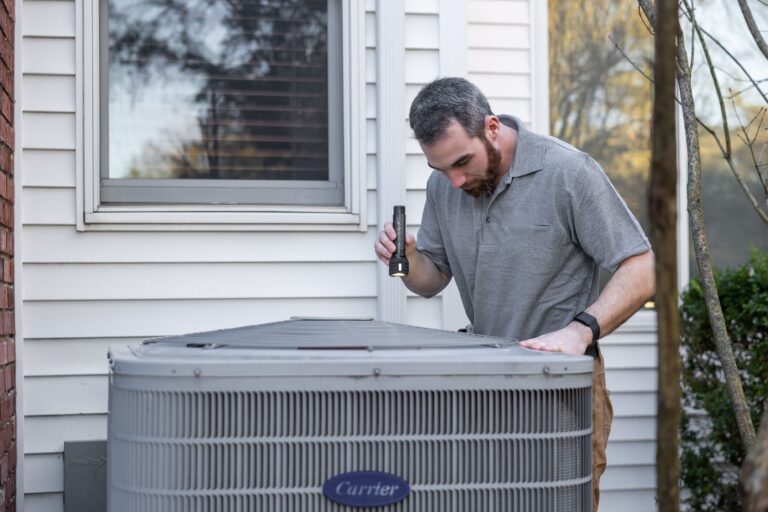
| Plumber, HVAC, electrician | When the job is finished and tested, before you leave |
| Contractor or remodeler | At the final walkthrough, then by text that evening |
| Dentist, chiropractor, salon | By text an hour or two after the visit |
| Restaurant or cafe | QR code on the check or receipt |
| Shop or showroom | QR code at the counter, plus the link in the receipt email |
Notice the word every. Google’s policy forbids businesses to “selectively solicit positive reviews from customers” (Maps user contributed content policy). That practice is often called review gating. You can still ask at a natural moment. What you can’t do is filter out the customers you think might be unhappy.
4. Make it one tap: send the link by text or email
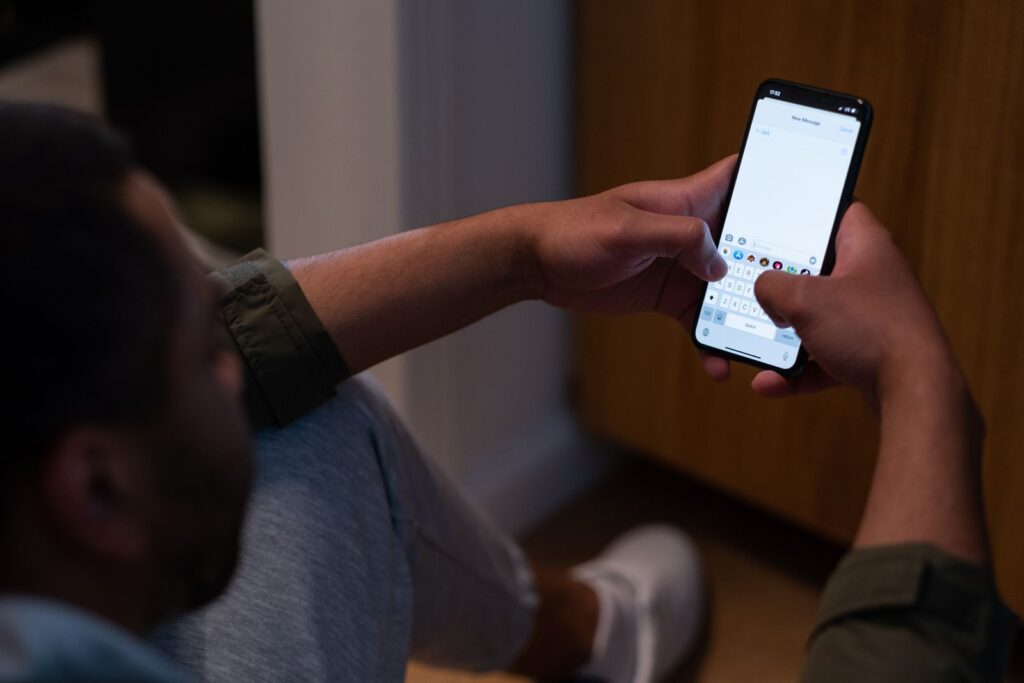
Every extra step loses people. Don’t tell customers to “find us on Google.” Send the link itself.
Google suggests sharing the link on receipts, thank-you emails, at the end of a chat, or as a printed QR code in your store. It adds that “you can also send review requests through email, WhatsApp message, or Facebook post” (Google).
For most local service businesses, a text message works best because it arrives on the same phone people use to leave the review. Note that reviewers need a Google Account, though Google says they can create one with a non-Gmail email address (Tips to get more reviews).
5. Use a short, open-ended script
Keep the ask short, friendly and neutral. Don’t hint at a star rating, and don’t tell people what to write. Google’s policy lists “merchants requesting that staff solicit reviews that include specific content” as rating manipulation (Google).
Here are three scripts you can adapt:
- In person: “Thanks for having us out today. If you have a minute, an honest Google review really helps a small business like ours. I’ll text you the link.”
- Text: “Hi Maria, thanks for choosing [Business]. Would you share an honest review of your experience on Google? It takes about a minute: [link]”
- Email footer: “How did we do? We read every review. Leave yours on Google: [link]”
What to avoid: “Please leave us 5 stars,” “Mention Dave by name,” or “Only leave a review if you were happy.” Each one steers the content or the rating.
6. Put your review link where customers already look
Your website, invoices and emails are seen by customers every day. Each one is a free place to ask. Good spots include:
- A “Leave us a review” button on your website’s thank-you page, after someone books or sends a form
- Your website footer and contact page
- Your email signature and invoice template
- Follow-up emails after a job or purchase
- Printed QR codes on counter cards, job folders and leave-behinds
If you show Google reviews on your own website, one technical note: Google’s structured data rules say that if a business controls the reviews about itself, its LocalBusiness or Organization pages are “ineligible for star review feature” (Google Search Central). In plain English, adding review star markup to your own testimonials won’t earn you stars in search results. Show the reviews for people, not for rich results. Our guide to website testimonials covers how to display them.
For more on building a site that turns that trust into calls, see our guide to local business website design.
7. Get your team asking, without quotas
Your techs, front desk and servers talk to more customers than you do, so they should ask too. But set it up carefully. Google’s policy lists “merchants requesting that staff solicit a certain number of reviews” as rating manipulation, alongside asking staff to get reviews with specific content (Google). Local search expert Amy Toman spotted these lines when Google added them in April 2026, without an announcement (Launch Codex).
So instead of “get 10 reviews this week,” make asking part of the job: every finished job gets the link, every time. Track it as a step on the checklist, not a number to hit.
Two more staff rules: employees shouldn’t review their own employer, because Google treats current or former employment as a conflict of interest. And staff shouldn’t “require or pressure users to leave ratings or write reviews while on the premises” (Google).
8. Reply to every review
Replies show future customers that a real person runs the business. BrightLocal found 89% of consumers expect owners to respond, 81% expect a reply within a week, and 50% are unlikely to choose a business that uses templated or generic replies (BrightLocal).
Google’s own tips line up with that: “Keep it short and simple,” and “Address the reviewer by name and acknowledge their specific feedback” (Google). Google also checks replies before they appear. It says they “usually take up to 10 minutes to review, but sometimes a review can take up to 30 days” (Google).
A simple reply formula:
- Thank them by name.
- Mention one specific thing they said.
- Add one useful line, such as a tip or what happens next.
- Sign off as the business.
9. Keep a steady pace
Since 74% of people only care about reviews from the last three months, a burst of 40 reviews in one month followed by silence does less than three or four a week, every week. A sudden spike can also look suspicious. Google lists “content exhibiting unusual volumes or patterns of review contributions” under rating manipulation (Google).
That’s why the habit in steps 3 and 4 matters more than any campaign. Ask every customer and the reviews arrive at the same pace as your work.
What Google and the FTC don’t allow
Most of the rules come down to one idea: reviews must reflect a genuine experience, and you can’t buy, filter or bury them.
| Practice | Google’s policy | FTC rule (effective Oct 21, 2024) |
|---|---|---|
| Offering payment, a discount or free goods or services for a review | Not allowed | Not allowed when tied to a positive or negative review |
| Asking only happy customers (review gating) | Not allowed | Not addressed directly |
| Staff review quotas or scripted content | Not allowed | Not addressed directly |
| Reviews by owners, managers or staff | Conflict of interest, not allowed | Must clearly disclose the connection |
| Threatening or pressuring people to remove a bad review | Not allowed | Not allowed, including “unfounded or groundless legal threats” |
| Buying reviews or posting fake ones | Not allowed | Not allowed |
Sources: Google Maps user contributed content policy, FTC press release, Aug 14, 2024, Davis Wright Tremaine summary of the FTC FAQ.
The penalties are real. On Google’s side, a profile can be blocked from getting new reviews for a set period, have its existing reviews unpublished, or show a public warning that fake reviews were removed (Business Profile restrictions). On the FTC side, the rule lets the agency “seek civil penalties against knowing violators” (FTC). This is general information, not legal advice.
What to do about a bad Google review
You can’t delete a customer’s review yourself. If a review breaks Google’s content policies, for example it’s spam or fake, you can flag it from your profile (Google).
For a genuine bad review, reply calmly and briefly. Google’s tips say to “protect privacy and avoid personal attacks” and to “apologize when appropriate” (Google). Offer to fix it offline, with a phone number or email. Customers can still update their review after you reply, and a fair reply often matters more to the next reader than the original complaint.
The best defense against one bad review is twenty recent good ones, which brings you back to asking every customer. For the full process of reporting, appealing and replying, see our guide to how to remove a Google review.
How your website helps you get more Google reviews
Reviews and your website work as a pair. Reviews get people to click. Your website has to turn that click into a call or a booking. If visitors land on a slow or outdated site, a 4.8-star rating won’t save the lead. If that sounds familiar, see why your website isn’t getting inquiries, or our guide to building a lead generation website.
A good small business site also gives you more places to ask: a thank-you page with a review button after every form, a review link in your confirmation emails, and a section that shows your best recent reviews. Our small business website design guide covers the pages that matter most. Google is also making it easier for customers to reach you from Maps with a new Message button. And if you’d rather not keep the site updated yourself, our website maintenance plans can help keep it fast, secure and up to date.
Frequently asked questions
How do I get my Google review link?
On a computer, go to your Business Profile, select Read reviews, then Get more reviews, and select Copy. The same screen lets you download a QR code. Google says review QR codes can only be generated in a computer browser, not on mobile.
How many Google reviews does a small business need?
There’s no official number, but 47% of US consumers in BrightLocal’s 2026 survey said they won’t use a business with fewer than 20 reviews. Recency matters as much as the total: 74% only care about reviews from the last three months.
Can I offer a discount or freebie for a Google review?
No. Google’s policy bans offering “payment, discounts, free goods and/or services” in exchange for reviews, and the FTC’s rule bans incentives tied to a positive or negative review. You can ask for an honest review with no reward.
Can I ask only my happy customers for reviews?
No. Google’s policy forbids businesses to “selectively solicit positive reviews from customers.” Ask every customer the same way, at the same point in your process.
Can I delete a bad Google review?
You can’t delete a customer’s review. You can flag a review that breaks Google’s content policies, and you can reply publicly. A calm, specific reply often reassures future customers more than a perfect score would.
Do Google reviews help my business show up in search?
Yes, they’re one of the signals. Google says “more reviews and positive ratings can help your business’s local ranking,” alongside relevance and distance.
Do customers need a Gmail account to leave a review?
They need a Google Account, but Google says it can be created with a non-Gmail email address.
Turn more reviews into more calls
Getting more Google reviews brings people to your profile. Your website is where they decide to call. If your site looks dated, loads slowly or makes it hard to get in touch, you’re losing the leads your reviews worked to earn.
We build fast, mobile-friendly small business websites that make it easy to call, book and leave a review. A 5-page site starts at $750, usually takes about 2 weeks, and comes with unlimited revisions.
Want to see what yours could look like first?
No obligation. Don’t love it? You don’t pay a thing.
Sources
- Tips to improve your local ranking on Google, Google Business Profile Help
- Tips to get more reviews, Google Business Profile Help
- Create a Google link or QR code to request reviews, Google Business Profile Help
- Manage customer reviews, Google Business Profile Help
- Business Profile restrictions, Google Business Profile Help
- Maps user contributed content policy: fake engagement and rating manipulation, Google
- Review snippet structured data, Google Search Central (updated Sep 8, 2026)
- Federal Trade Commission announces final rule banning fake reviews and testimonials, FTC, Aug 14, 2024
- FTC FAQs on Consumer Review and Testimonials Rule, Davis Wright Tremaine, Dec 2024
- Local Consumer Review Survey 2026, BrightLocal, Feb 2026
- Google formalizes review requests nine months after feature launch, PPC Land, Jan 2, 2026
- Google Business Profile review policy update, Launch Codex, updated Apr 21, 2026
Need a website that brings in inquiries?
Get a professional website, live in two weeks
We build fast, mobile-friendly websites for local businesses, planned around what you need your website to do. Five pages from $750, with unlimited revisions until you approve.

You’ll talk directly with Govind,
founder of Crazy Media Design.
$750
Five-page website · starting price
- Delivered in two weeks
- Unlimited revisions
- Mobile-friendly and fast
- You own your website